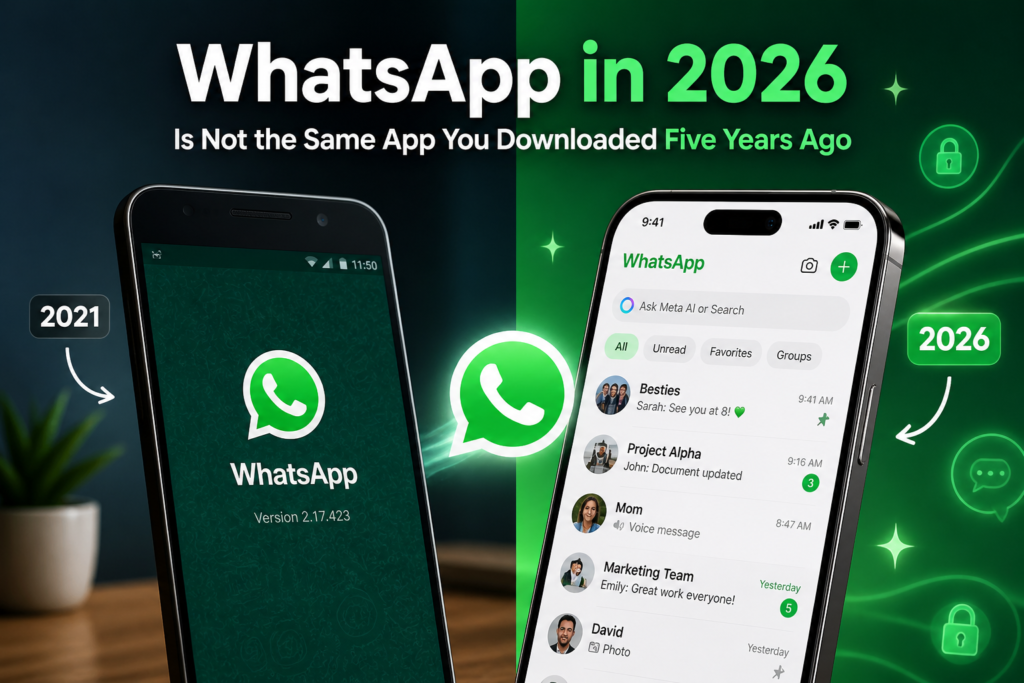
WhatsApp in 2026 Is Not the Same App You Downloaded Five Years Ago
Remember when WhatsApp was just… a texting app? You sent messages, maybe a few photos, the occasional voice note when you were too lazy to type. That was it. Simple. Straightforward. Kind of beautiful in its simplicity, honestly.
Well, those days are gone. And depending on how you look at it — that’s either really exciting or slightly overwhelming.
WhatsApp in 2026 has quietly become one of the most feature-packed communication platforms on your phone. We’re talking AI, premium subscriptions, cross-platform transfers, voice transcription, advanced privacy controls — the whole deal. Most people are still using it like it’s 2019, completely unaware of what’s sitting right there in their app. So let’s fix that.
The Feature That Genuinely Surprised Me — Voice Transcription
Okay, this one sounds small but it’s actually a game changer. WhatsApp now lets you convert voice messages into text instantly. So when your chacha sends a 4-minute voice note explaining something you could’ve just typed in two sentences — you can now just read it. Silently. At your own pace.
This is especially useful in situations where listening isn’t possible — office meetings, crowded metros, late nights when everyone’s asleep. You tap once, it transcribes, you read it. Done. Why didn’t this exist sooner? No idea. But it’s here now and life is slightly better because of it.
Privacy Got a Serious Upgrade
WhatsApp has always marketed itself on end-to-end encryption, and that’s still very much there. But 2026 brought a whole new layer of privacy controls that go beyond just encryption.
There’s now Advanced Chat Privacy — a feature that actually blocks others from exporting your chat content. So that thing where someone screenshots your conversation and shares it elsewhere? Harder to do now. Not impossible, but WhatsApp is at least trying to make it less casual.
Then there’s the Secret Code for Chat Lock. This one’s clever. You’ve probably seen the Chat Lock feature before — where you can hide specific chats behind a lock. But the problem was, anyone who knew your phone’s password could still unlock it. The new secret code is completely separate from your device password. So even if someone picks up your phone and knows your PIN, they still can’t access your locked chats without the secret code. Small detail. Huge difference in practice.
And View Once for Voice Messages — just like View Once photos and videos, voice messages can now be set to auto-delete after being played once. Useful for anything sensitive you don’t want sitting in someone’s chat forever.
Two Accounts, One Phone — Finally on iOS Too
Android users have had dual WhatsApp accounts for a while now. iOS users had to either carry two phones or do some complicated workaround. Not anymore. You can now run two WhatsApp accounts simultaneously on one iPhone — one for personal, one for work — and you’ll always know which account you’re in because your profile picture shows in the bottom tab.
This sounds like a niche feature but honestly, for anyone doing freelance work, running a small business, or just wanting to keep their professional and personal life separate — this is a relief. The “I’ll just give them my personal number” era can finally end.
WhatsApp Channels — Think Instagram Stories But for Information
WhatsApp Channels are essentially one-way broadcast feeds. You follow a channel — could be a news outlet, a celebrity, a cricket team, a local business — and you receive their updates directly in WhatsApp without them having your number and without any group chat chaos.
It’s clean. No replies flooding your screen, no 47 people reacting with 🔥 to every post. Just information, when you want it. For people who’ve been using WhatsApp groups as a chaotic substitute for announcements, this is a much better system.
The AI Features Are Here, Whether You’re Ready or Not
This is where things get interesting — and slightly debatable.
WhatsApp now has AI-powered smart chat assistance built in. It can help you write messages, summarize long chats, and suggest replies automatically. On paper, that sounds helpful. In practice… it’s a bit of a mixed bag depending on who you ask.
The photo touch-up feature — where AI can edit your photos before you send them in a chat — is genuinely fun. Quick fixes, lighting adjustments, minor clean-ups. Nothing wild, but useful.
The suggested replies and chat summaries are more polarising. Some people love the efficiency. Others find it a little unsettling — like, do you really want an AI reading through your conversations to summarize them? WhatsApp says it’s all processed on-device and privacy is maintained, but it’s the kind of feature you’d want to think about before casually enabling.
WhatsApp Plus — Yes, There’s a Paid Tier Now
This one’s the biggest news, honestly. WhatsApp has quietly launched WhatsApp Plus — an optional paid subscription that gives you access to extra features, personalization tools, and exclusive content. The core app remains free. Messaging, calls, end-to-end encryption — none of that changes. But if you want more customization and enhanced features, you can pay a small monthly fee.
It’s currently in limited testing with select users, but the rollout is happening. Think of it like WhatsApp’s version of Twitter/X’s premium tier — totally optional, but clearly the direction things are heading.
Worth noting: WhatsApp Plus is only for personal WhatsApp Messenger, not the Business version. So if you’re a business user wondering — no, this doesn’t apply to you yet.
Cross-Platform Chat Transfer — Switching Phones Is No Longer a Nightmare
This one’s for everyone who’s ever switched from iPhone to Android (or vice versa) and lost months of conversations in the process. WhatsApp now fully supports moving your entire chat history — messages, photos, videos — from iOS to Android and back again. A few taps and it comes with you.
It sounds like it should’ve always worked this way. And yeah, it should have. But better late than never.
A Small But Important Warning — Old Android Phones
Here’s something worth knowing, especially in India where a lot of people are still running older devices: WhatsApp is dropping support for Android versions older than Android 6.0 starting September 8, 2026. If you or someone in your family is using an old phone, WhatsApp has already started sending alerts. The fix is either updating the operating system (if your phone supports it) or switching to a newer device.
WhatsApp has been upfront about this, giving users time to back up their chats on Google Drive before the deadline. If storage is an issue, there’s also a local backup option. Don’t wait till September to figure this out.
So, Is WhatsApp Still Worth It?
Honestly? Yeah. Despite becoming more complex, it still does the basic things better than almost anything else — fast, reliable, encrypted messaging that works equally well on a budget Android in Bihar and a flagship iPhone in Bangalore. That accessibility matters.
The new features are genuinely useful if you take the time to actually explore them. Most people don’t. They download the update, skip through the changelog, and go back to sending good morning messages in family groups. And that’s fine — the app still works perfectly for that.
But if you’re someone who’s curious, who uses WhatsApp for work or for managing groups or for anything beyond basic texting — 2026 is a good time to dig into your settings. There’s a lot more in there than you’d expect.
The app has grown up. It’s just waiting for you to catch up.