
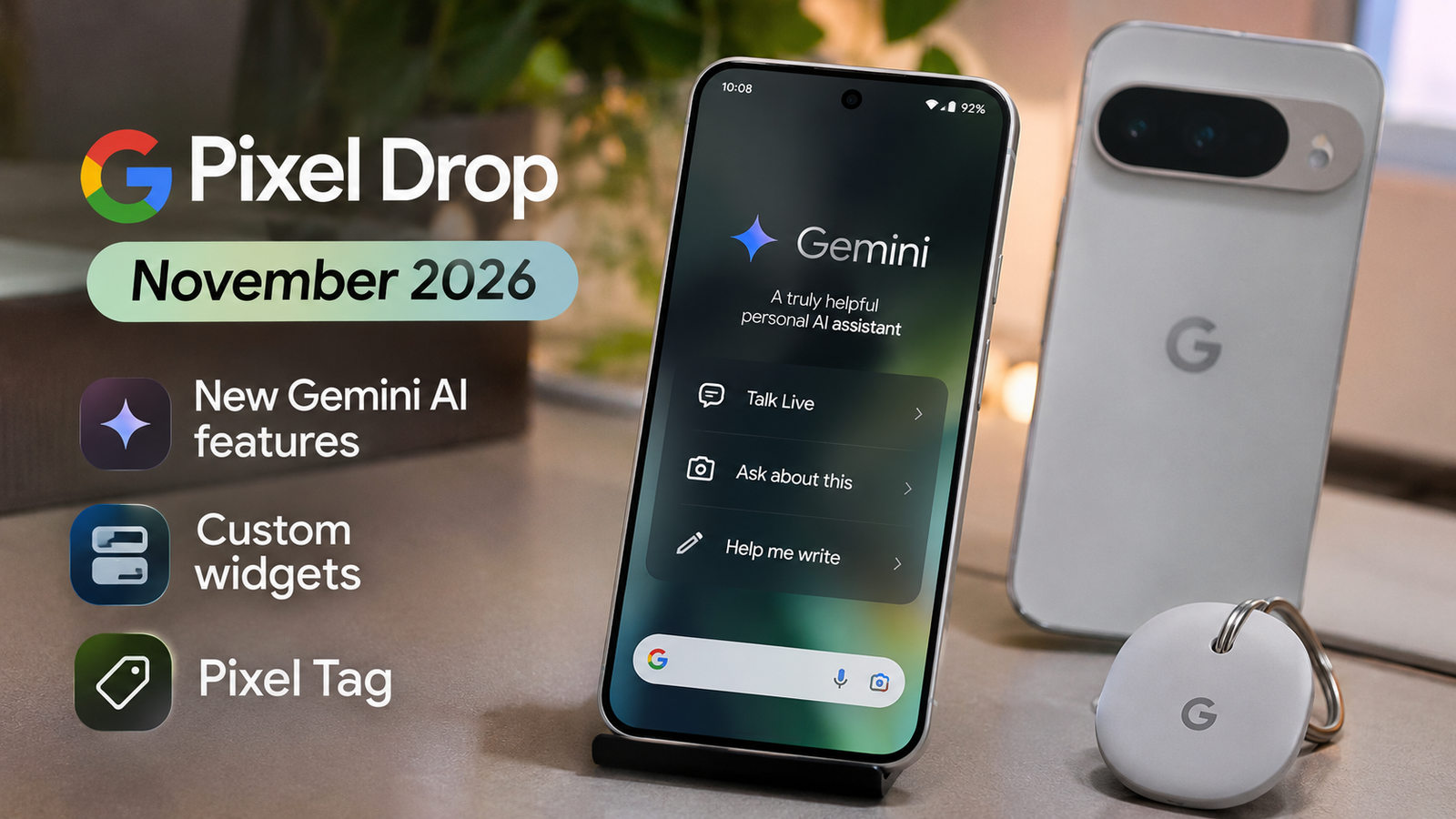
Google has officially announced the November pixel drop 2026.
It brings a fresh collection of AI-powered features, personalization options, and useful improvements to its Pixel smartphones and smartwatches.
This month’s update focuses heavily on Gemini Intelligence.
It makes Pixel devices smarter and more helpful in daily life.
One of the biggest highlights is the November pixel drop featuring Gemini Intelligence on the Pixel 10 series.
Additionally, Google is also introducing improved voice typing, AI-powered personalized widgets, smarter call screening, and expanded Pixel Search functionality.
Another exciting announcement is the launch of Google Pixel Tag, a new tracking accessory designed to help users locate important belongings such as wallets, bags and keys.
The November Pixel Drop started rolling out on November 10, 2026, with additional features arriving over the following weeks.
Additionally, what’s new in the November Pixel Drop? Which Google Pixel phones are eligible? When will you receive the update? Here’s everything you need to know.
What Is the November Pixel Drop?
Pixel Drop is Google’s way of introducing new features and improvements to its Pixel ecosystem through software updates.
Instead of waiting for a new smartphone launch, Google regularly delivers additional functionality to supported Pixel phones, tablets and smartwatches.
These updates can include improvements to artificial intelligence, camera functionality, personalization, security, connectivity and overall user experience.
The November 2026 Pixel Drop is particularly interesting because Google is expanding several Gemini-powered features to the Pixel 10 series while bringing useful improvements to older devices.
Here are the main highlights:
- Gemini Intelligence comes to Pixel 10 devices.
- Improved voice typing with Rambler.
- Gemini can handle multi-step tasks.
- New AI-powered personalized widgets.
- Improved Call Screen on Pixel 11.
- More custom home screen icon styles.
- Expanded Pixel Search support.
- Google Messages integration with HiLight.
- New Google Pixel Tag tracking accessory.
- Step-by-step workouts for Pixel Watch 3 and newer models.
November Pixel Drop Release Date
Google officially announced the November Pixel Drop on November 10, 2026.
The rollout began on the same day and will continue over the following weeks in phases, depending on the device and carrier.
This means not every Pixel user will receive all the new features immediately.
Google has also released its November 2026 monthly software update, which includes security patches, bug fixes and stability improvements.
Users will receive a notification when the update becomes available for their device.
1. Gemini Intelligence Arrives on Pixel 10
One of the biggest announcements in the November Pixel Drop is the expansion of Gemini Intelligence to Pixel 10 devices.
Google is bringing several AI-powered capabilities that make everyday smartphone tasks easier.
Instead of manually performing every action, users can rely on Gemini for certain multi-step activities.
For example, Gemini can help with:
- Ordering groceries.
- Booking a ride.
- Ordering takeaway food.
- Finding restaurant reservations.
- Handling certain tasks using information displayed on the screen.
The idea is simple: your smartphone should do more than answer questions. It should also help you complete everyday activities.
This feature is particularly interesting for users who regularly use AI assistants to manage their daily routines.
Google has confirmed that Gemini’s multi-step task functionality is available in India, Japan and the UK, although availability depends on the device, language and supported applications.
2. Rambler Makes Voice Typing Smarter
Another interesting addition is Rambler, Google’s improved voice typing experience.
Most smartphone users have experienced the problem of speaking naturally and then having to correct their messages because of unnecessary words, pauses and mistakes.
Rambler aims to make that process easier.
The feature can automatically remove filler words such as “um” and organize spoken thoughts into clearer, more polished text.
For example, you can speak naturally without worrying too much about how your sentence sounds.
Rambler can then help turn your spoken words into a more readable message.
This could be particularly useful for people who send long messages, write emails or prefer speaking instead of typing.
3. Gemini Can Create Personalized Widgets
Google is also introducing a new way to personalize the Pixel home screen.
With AI-powered widget creation, users can describe the type of widget they want instead of choosing only from predefined options.
For example, you could ask for:
- A monthly spending tracker.
- A countdown for your next holiday.
- A sports widget featuring your favorite team’s colors.
- A personalized information dashboard.
The system uses your description to create a widget that matches your requirements.
Imagine wanting a simple widget that displays your upcoming travel plans. Instead of searching through different applications, you can describe what you need and let the feature help create it.
This functionality is available on supported Pixel 10 and Pixel 11 series devices in select markets.
Google has also announced plans to bring personalized widgets to Pixel Watch 4 and Pixel Watch 5.
4. Improved Call Screen on Pixel 11 Series
Unwanted calls and unknown numbers are a common problem for smartphone users.
Google is improving its Call Screen experience with additional Gemini-powered capabilities.
When you receive a call from an unknown number and choose to screen it, Gemini can interact with the caller and ask why they are calling.
The conversation is displayed through a live transcript on your phone screen.
This allows you to understand the reason for the call before deciding whether to answer.
You can also choose when to join the conversation or end the call.
The feature is designed to make handling unknown calls more convenient while reducing unnecessary interruptions.
However, this improved version is currently available on supported Pixel 11 series devices in the United States.
5. New Custom Icon Styles for Pixel Phones
If you enjoy customizing your smartphone’s home screen, this update brings another interesting addition.
Google is introducing additional custom icon styles that allow users to change the appearance of their application icons.
Instead of having different-looking icons across the home screen, users can apply a consistent visual style.
The feature makes it easier to give your phone a personalized appearance without installing additional customization applications.
The new icon styles are available on Pixel 6a and newer devices across regions and languages.
6. Pixel Search Gets Better
Finding something on your smartphone can sometimes take longer than expected.
You might remember saving a photograph, receiving an email or discussing something in a message, but finding it again is not always easy.
Google is expanding Pixel Search to make this process simpler.
The feature can help users search across different types of information stored on their devices, including:
- Photos.
- Recent emails.
- Messages.
- Calendar events.
- Device settings.
The expanded Pixel Search functionality is available on Pixel 6a and newer devices.
This is a useful improvement because it makes information easier to find without opening multiple applications.
7. Google Messages Gets HiLight Support
Google is also improving HiLight functionality through its integration with Google Messages.
On supported Pixel 11 Pro devices, HiLight can now glow when the phone is placed face down and receives a message from one of your favorite contacts.
This allows you to notice important messages without constantly checking your smartphone screen.
The feature is designed for people who want fewer distractions but still want to stay connected with important contacts.
It is currently available on Pixel 11 Pro, Pixel 11 Pro XL and Pixel 11 Pro Fold.
8. Google Pixel Tag: A New Way to Find Your Belongings
One of the most interesting announcements alongside the November Pixel Drop is Google Pixel Tag.
Pixel Tag is Google’s new item-tracking accessory, designed to help users locate everyday belongings.
You can attach it to important items such as:
- Wallets.
- Backpacks.
- Travel bags.
- Keys.
- Other personal belongings.
The tracker uses Google’s Find Hub network, which is supported by more than one billion Android devices.
This helps users locate their belongings even when they are far away.
Pixel Tag also supports Ultra-Wideband (UWB), which provides visual direction and distance guidance when locating compatible nearby items.
Another useful feature is its battery life, which Google says lasts more than a year.
Google Pixel Tag Price
Google has announced the following US prices:
| Package | Price |
|---|---|
| Single Pixel Tag | $29.99 |
| Four-pack | $99.99 |
The Pixel Tag became available on November 11, 2026.
These are US prices. Indian pricing and local availability should be checked separately before purchasing.
9. Pixel Watch Gets Step-by-Step Workout Guidance
Google is also improving its smartwatch experience.
Pixel Watch 3 and newer models are receiving step-by-step workout guidance.
This feature helps users follow exercise routines directly from their smartwatch or connected phone.
Depending on the workout, users can:
- Follow exercise instructions.
- Log repetitions.
- Record weights.
- Track workout metrics.
- Follow custom exercise routines.
This can make workouts easier to manage without constantly checking a separate fitness application.
Some advanced Google Health Coach functionality requires a separate Google Health Premium subscription.
10. Unlock Your Pixel Watch Using Your Phone
Another upcoming improvement focuses on convenience.
Google is preparing a feature that allows compatible Pixel Watches to unlock automatically when the user wears the watch and unlocks their nearby Pixel phone.
This means users may no longer need to enter their PIN or pattern every time they want to access their smartwatch.
The feature is expected to arrive over the coming weeks on supported Pixel Watch 3, Pixel Watch 4 and Pixel Watch 5 devices.
Compatible Ultra-Wideband hardware and regional availability requirements apply.
November 2026 Pixel Drop: Eligible Devices
Not every feature in the November Pixel Drop is available on every Pixel device.
Some improvements are exclusive to newer smartphones, while others are reaching older models.
Here’s a quick overview:
| Feature | Supported Devices |
|---|---|
| Gemini Intelligence | Pixel 10 and newer, excluding Pixel 10a |
| Custom Widgets | Supported Pixel 10 and Pixel 11 models |
| New Icon Styles | Pixel 6a and newer |
| Pixel Search | Pixel 6a and newer |
| Improved Call Screen | Pixel 11 series in the US |
| HiLight for Messages | Pixel 11 Pro series |
| Conversation Summaries | Eligible Pixel 9, 10 and 11 devices with supported Pixel Watches |
| Step-by-Step Workouts | Pixel Watch 3 and newer |
| Automatic Watch Unlock | Compatible Pixel Watch 3, 4 and 5 models |
Feature availability depends on device compatibility, language, region and software version.
How to Download the November Pixel Drop Update
If you own a supported Google Pixel smartphone, you can manually check whether the November update is available.
Follow these steps:
- Open Settings on your Pixel phone.
- Scroll down and select System.
- Tap Software updates.
- Select System update.
- Tap Check for update.
- If the update is available, download and install it.
Before installing the update, make sure your phone has sufficient battery and a stable internet connection.
It is also a good idea to back up important information before installing major software updates.
Remember that some Pixel Drop features may arrive separately through application updates or server-side rollouts.
November Pixel Drop vs September Pixel Drop: What’s Changed?
Google’s September 2026 Pixel Drop focused on improving the Pixel experience through contact widgets, scam protection and smartwatch enhancements.
The November update takes things further by focusing heavily on artificial intelligence and personalization.
Here’s a simple comparison:
| September 2026 | November 2026 |
|---|---|
| Updated Pixel VIP widgets | AI-powered personalized widgets |
| Improved scam detection | Gemini-powered Call Screen |
| Inline Gboard scam warnings | Rambler voice typing |
| Pixel Watch improvements | Step-by-step workout guidance |
| Contact-focused features | Expanded Pixel Search |
| Harry Potter audiobook promotion | Pixel Tag launch |
The biggest difference is the increased role of Gemini across the Pixel ecosystem.
Is the November Pixel Drop Worth Installing?
Yes, the November Pixel Drop brings several useful improvements, particularly for people using newer Pixel smartphones.
Pixel 10 owners receive some important Gemini Intelligence capabilities, while Pixel 6a and newer users benefit from expanded search functionality and additional customization options.
The Pixel Tag announcement also makes the update interesting for people who frequently misplace their belongings.
However, not every feature will be available to every user.
If you own an older Pixel phone, you may receive fewer AI-related additions, but the software improvements and security updates still make the November release worth installing.
Overall, Google is moving toward a more intelligent and personalized smartphone experience.
Frequently Asked Questions About November Pixel Drop
1. What is the November Pixel Drop?
The November Pixel Drop is Google’s latest feature update for supported Pixel phones, tablets and smartwatches. It introduces Gemini Intelligence, custom widgets, improved search, new icon styles and other enhancements.
2. When was the November Pixel Drop released?
Google officially announced the November 2026 Pixel Drop on November 10, 2026. The rollout is continuing in phases over the following weeks.
3. Which Pixel phones are eligible for the November Pixel Drop?
Supported devices include Pixel 6a and newer models, although individual features have different compatibility requirements.
4. Is Gemini Intelligence available on Pixel 10?
Yes. Gemini Intelligence is now available on eligible Pixel 10 devices, excluding Pixel 10a.
5. Is the November Pixel Drop available in India?
Yes. Google has confirmed that Gemini’s multi-step task functionality is available in India, along with several other Pixel features. However, availability varies by device and feature.
6. What is Google Pixel Tag?
Pixel Tag is Google’s new tracking accessory that helps users locate belongings such as wallets, keys and bags through the Find Hub network.
7. How much does Google Pixel Tag cost?
The announced US price is $29.99 for one Pixel Tag and $99.99 for a four-pack.
8. How do I install the November Pixel Drop?
Go to Settings, select System, open Software updates and tap Check for update. If the update is available for your device, follow the installation instructions.
9. Does the November Pixel Drop improve Pixel Search?
Yes. Google has expanded Pixel Search to Pixel 6a and newer devices, allowing users to find information across photos, emails, messages, calendar events and device settings.
10. Does the November Pixel Drop include security updates?
Yes. The November 2026 monthly Pixel software update also includes security fixes, bug fixes and stability improvements.
Final Thoughts
The November Pixel Drop 2026 is one of Google’s more interesting feature updates, with a strong focus on artificial intelligence, personalization and connected devices.
The arrival of Gemini Intelligence on Pixel 10, improved Rambler voice typing, AI-powered widgets and expanded Pixel Search makes the smartphone experience more useful.
Meanwhile, the introduction of Pixel Tag gives Google another product in its growing ecosystem, and the Pixel Watch improvements make the update more valuable for smartwatch users.
Not every feature will reach every Pixel device, but Google is clearly working toward making its devices smarter and more connected.
If you own a compatible Pixel smartphone, keep checking for the November update over the coming weeks.










Leave a Reply